
Quick Answer
The Nintendo GameCube delivers the ultimate pure retro setup, while the Wii U offers modern HDMI output and dual-screen gaming.
If you want original hardware to run classics in standard definition with iconic controller ports, go with the GameCube. If you want native 1080p output and access to both Wii and Wii U libraries, the Wii U is the right match.
Deciding between the nintendo gamecube vs wii u console comes down to whether you prioritize authentic sixth-generation hardware or modern HD convenience. Both machines represent distinct eras of Nintendo innovation, from the compact handle design of 2001 to the touch-enabled GamePad era of 2012.
The Short Version
- Choose the Nintendo Gamecube if you want an authentic CRT-friendly retro setup, physical memory card management, and classic local multiplayer games like Super Smash Bros. Melee. (check price on Amazon)
- Choose the Nintendo Wii U Console if you prefer modern HDMI connectivity on HDTVs, dual-screen features, and native access to 1080p visuals. (check price on Amazon)
📊 Side-by-Side Specs
| Feature | Nintendo GameCube | Nintendo Wii U Console |
|---|---|---|
| Release Date (NA) | November 18, 2001 | November 18, 2012 |
| Processor (CPU) | 485 MHz IBM PowerPC “Gekko” | 1.24 GHz Tri-Core IBM “Espresso” |
| System Memory | 24 MB main 1T-SRAM (43 MB total) | 2 GB DDR3 RAM |
| Internal Storage | Removable Memory Cards (512 KB to 8 MB) | 32 GB internal flash |
| Storage Expansion | Memory Card slots | SD/SDHC (up to 32 GB), USB (up to 2 TB) |
| Max Video Output | 480p (via Component/Digital AV Out) | 1080p (via HDMI) |
| Weight | Approximately 6 lbs (96 oz) | Approximately 3 lbs |
Performance and Visual Output
The Wii U easily takes this round with its modern video pipeline. It outputs 1080p, 1080i, and 720p via native HDMI, making it plug-and-play ready for any modern flat-panel display.
The GameCube maxes out at 480p progressive scan through its Digital AV Out port on DOL-001 models. While it looks pristine on a retro CRT monitor, running it on modern 4K sets often requires specialized analog cables or digital adapters. For crisp visuals right out of the box on modern screens, the Wii U wins.
Game Library and Nostalgia
Both consoles offer legendary first-party libraries, but the GameCube holds a unique cultural footprint. Titles like Luigi’s Mansion, Metroid Prime, and The Legend of Zelda: The Wind Waker defined an entire gaming generation.
The Wii U delivers exceptional titles like Bayonetta 2, Pikmin 3, and Xenoblade Chronicles X. However, many Wii U gems were later adapted for newer systems. For an irreplaceable retro catalog on its native media, the GameCube takes the lead.
Hardware Design and Controller Innovation
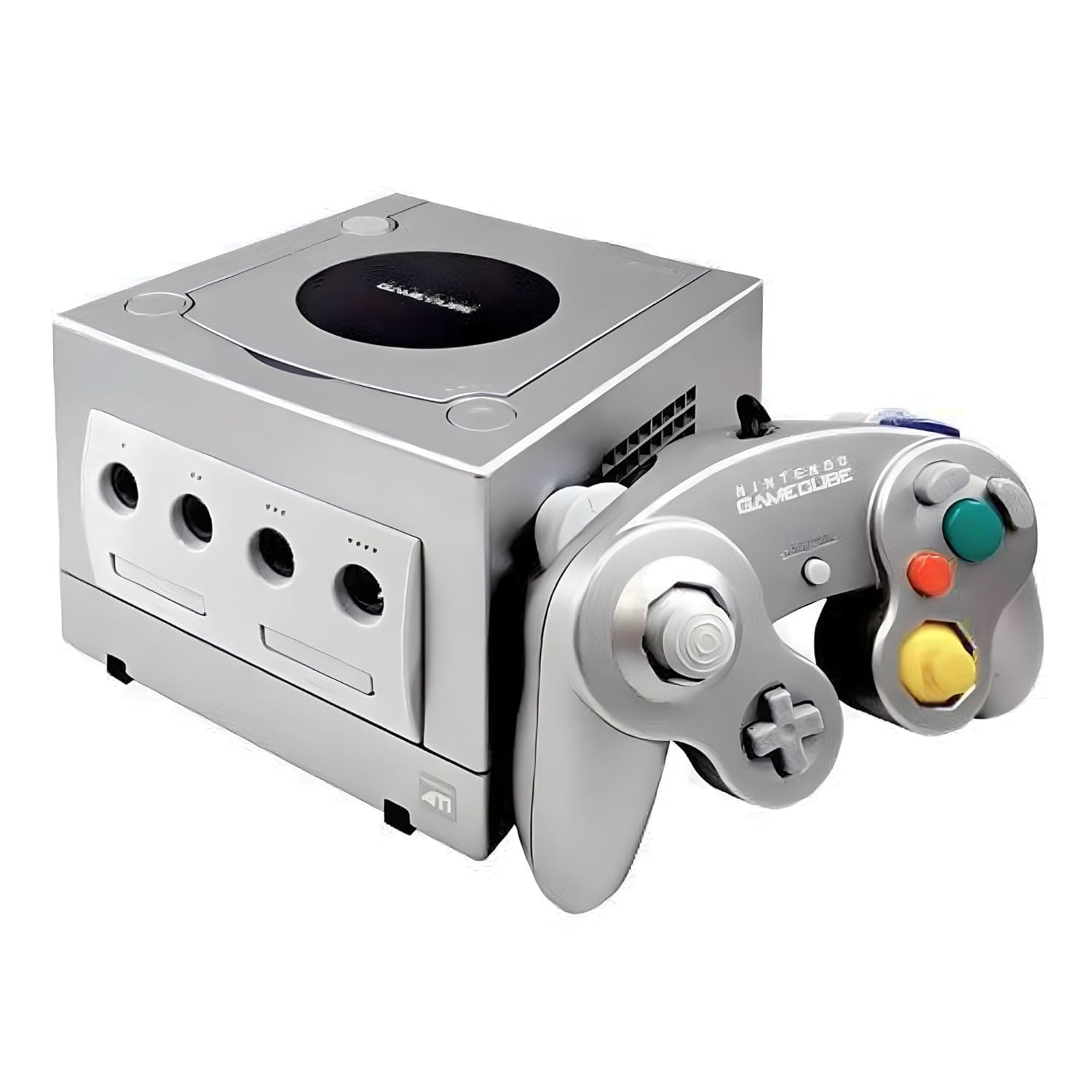
The GameCube controller is considered by many players to be one of the best controller layouts ever designed, featuring comfortable analog triggers and an intuitive button cluster. The console itself is compact, sturdy, and features an integrated carrying handle.
The Wii U introduced the GamePad, allowing asymmetrical gameplay and touch interactions. While the GamePad provides unique dual-screen mechanics, its built-in display requires frequent charging. The GameCube takes this round for its timeless controller design.
Nintendo Gamecube
The Gamecube Console Platinum remains a standout pick for retro collectors and fans of physical media. Powered by a 485 MHz IBM PowerPC “Gekko” CPU and an ATI “Flipper” GPU, it offers fast loading times off its proprietary optical discs. Its four built-in controller ports make it a staple for four-player couch multiplayer sessions.
✅ Pros
- Iconic, ergonomic controller layout beloved for competitive gaming.
- Durable, compact hardware design with an integrated handle.
- Fast boot times with zero mandatory system installation screens.
- Outstanding sixth-generation exclusive software library.
❌ Cons
- Requires memory cards for all game saves.
- Needs specific adapter cables to connect cleanly to modern HDMI TVs.
Nintendo Wii U Console
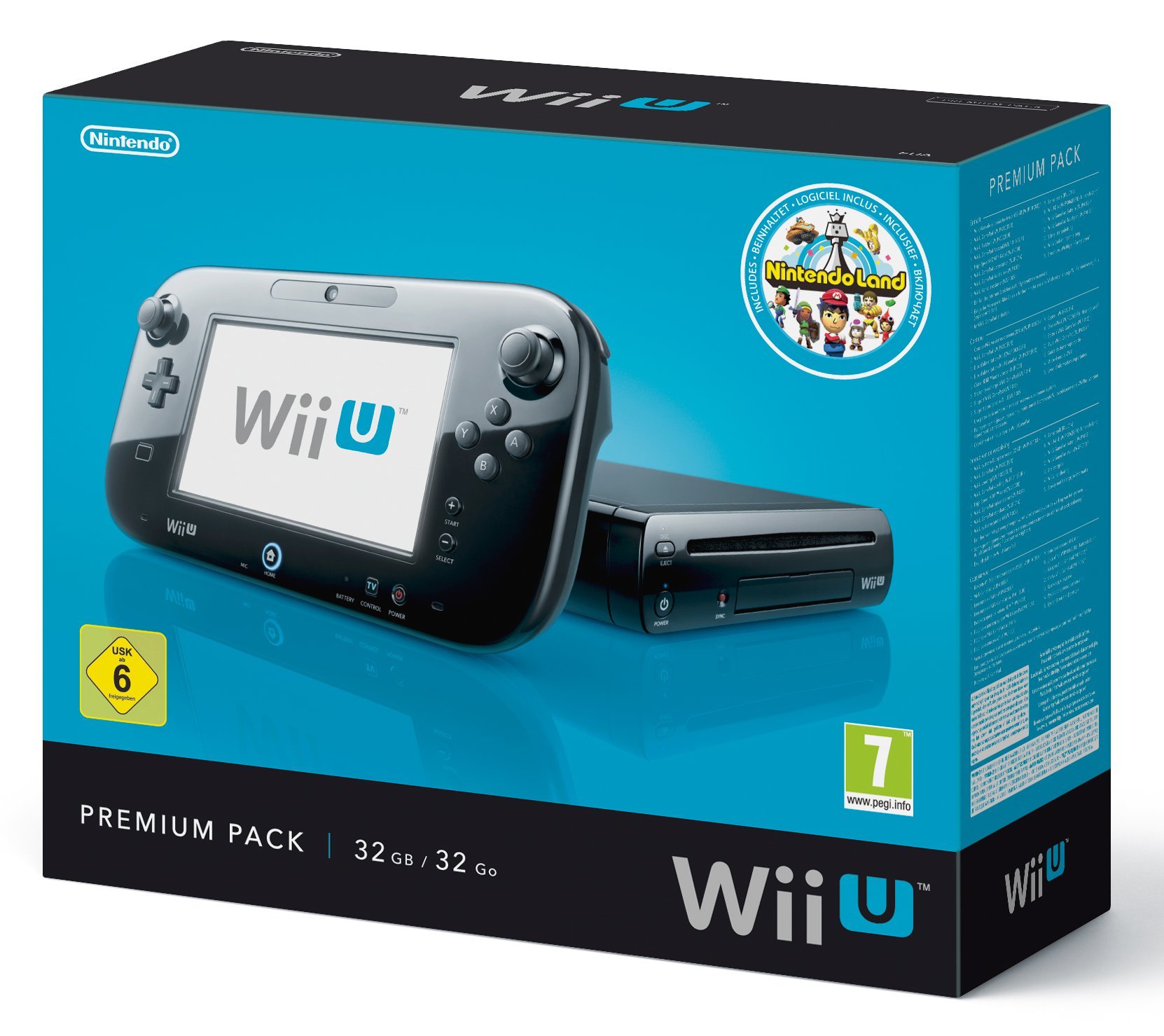
The Wii U Console Premium Black serves as a standout pick for anyone wanting high-definition Nintendo classics with contemporary connectivity. With 32 GB of internal flash storage, a 1.24 GHz tri-core IBM “Espresso” processor, and 2 GB of DDR3 memory, it marked Nintendo’s jump into the HD era. It supports expandable storage up to 2 TB using external USB hard drives.
✅ Pros
- Native 1080p HDMI output looks sharp on modern flat screens.
- Unique dual-screen and off-TV play features via the GamePad.
- Large 32 GB internal storage expandable via USB hard drives.
- Backward compatible with standard Wii game discs and remotes.
❌ Cons
- GamePad controller battery drains faster than traditional gamepads.
- Menu loading screens can feel sluggish between applications.
FAQ
Can you play original GameCube discs on the Wii U?
No, the Wii U optical disc drive does not accept original GameCube discs. The slot drive is engineered for standard Wii and Wii U optical media. If you want native disc playback for GameCube games, an original GameCube or a launch-model Wii console is required.
Which console looks better on a modern 4K smart TV?
The Wii U looks significantly sharper on modern flat-panel displays right out of the box because it outputs a native digital HDMI signal at up to 1080p. The GameCube outputs an analog 480i or 480p signal, which requires dedicated upscaling hardware or digital-to-HDMI converters to look crisp on large displays.
Can the GameCube connect to the internet?
The GameCube supported limited online functionality through optional Broadband and Modem Adapters that plugged into the high-speed serial ports underneath the console. Only a few titles utilized network play, making it primarily an offline, split-screen gaming system compared to the Wi-Fi-enabled Wii U.
Final Verdict: Which Should You Buy?
When weighing the nintendo gamecube vs wii u console, the right choice depends on your display setup and retro preferences. The GameCube is a masterclass in local multiplayer hardware, offering zero installation times, an iconic controller, and unmatched durability for classic gaming rooms. If you own a CRT monitor or enjoy using dedicated retro upscalers, it delivers an authentic early-2000s experience.
On the other hand, the Wii U Console fits smoothly into a modern living room thanks to its 1080p HDMI port and broad Wii backward compatibility. It lets you experience innovative dual-screen titles without needing specialized video cables. Both platforms offer exceptional libraries, but the Wii U gives you convenience on modern displays, while the GameCube brings timeless physical hardware charm.
Sources: cnet.com, nintendolife.com, ign.com.
Looking for Active Tech Sales?
Smart Curation: Skip hours of scrolling. Our TOP TECH DEALS hub gathers active promotions, notable price drops, and highly rated gear we find across the market.
This comparison is based on manufacturer specs and verified owner feedback; we haven’t tested these products in person.